

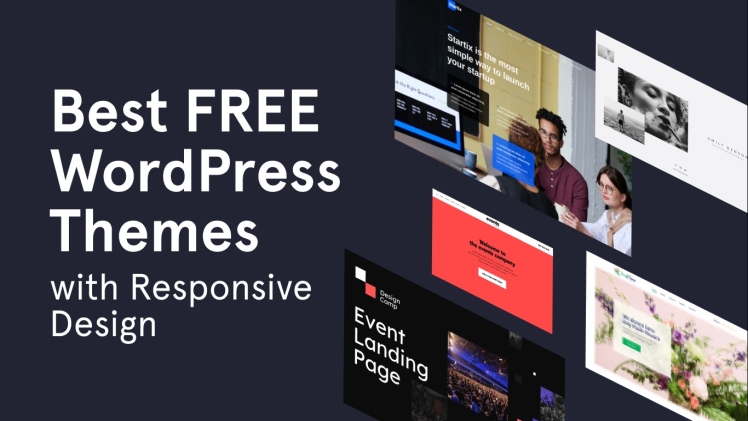
As mobile web traffic continues to surge, websites must be responsive or visitors may abandon them and go elsewhere.
Responsive design uses CSS media queries to format content, while optimizing images to reduce bandwidth usage and scale properly across devices. Below are some best practices when developing a responsive Best WordPress Theme.
1. Use Responsive Layouts
Responsive websites allow your content to reach all visitors regardless of device or screen size, regardless of where they’re visiting from. Selecting a responsive WordPress theme is one way to achieve this goal.
WordPress themes with responsive designs can be found both through professional designers and reliable marketplaces. Before purchasing one of these themes, be sure to evaluate and test it on different devices and screen sizes in order to ensure its layout remains unchanged while text remains legible and images adapt seamlessly into its new environment.
Tools and emulators designed to simulate real-device testing can help identify issues that might not be visible through desktop browsers, and optimizing CSS and JavaScript files to reduce file size and increase speed is also highly beneficial.
2. Use Media Queries
With the rise of mobile devices, responsive websites are becoming increasingly important. Whether using an already designed WordPress theme or creating it from scratch, media queries must be used to set breakpoints that dictate how your design should adapt itself for different screen sizes.
Media queries are CSS rules that enable you to adjust how your site displays based on factors like screen size and resolution, making responsive WordPress websites possible with much greater flexibility. They’re especially beneficial when building responsive designs.
Combining multiple media queries into a single rule using commas (,) will ensure your site is responsive for all screen sizes and resolutions. Still, it is prudent to test it on various screens just in case anything doesn’t look exactly how intended.
3. Optimize Images
Images make up a substantial proportion of any website’s file size, making them vital components for responsive design and mobile performance. Utilizing image compression plugins, specifying appropriate image dimensions, and responsive image techniques are effective strategies that can speed up page loads times while improving the user experience.
Fluid grids in responsive web design use percentages instead of pixels when setting content section widths; for instance, setting an image to max-width 500px will cause it to scale smaller when screen is reduced in width.
This ensures that the website still looks good across various devices and browsers without compromising the design, and reduces load times by eliminating large files that slow them down. For optimal performance, responsive images with minified CSS and JavaScript files should be used as this will significantly decrease their size.
4. Prioritize Content
Prioritize content when designing for responsive layouts. As websites move from desktop to mobile devices, information can become disorganized when compressed into smaller spaces. To ensure users can locate what they’re searching for quickly and efficiently, enlarging text where necessary and using font sizes appropriate to different screen sizes can help users locate what they need quickly and easily.
Testing the website across different devices and screen sizes is also key to its success. If possible, test in real-world mobile networks rather than just WiFi – this will give an accurate representation of how well a site performs for mobile visitors. Furthermore, optimizing loading speeds by using CDNs to distribute images and media assets should help optimize loading speeds even further.
5. Don’t Compromise Speed
Today’s mobile landscape necessitates responsive designs. Luckily, there are various tools that can assist with creating and updating them.
Make sure your site loads quickly for improved user experience and search engine friendliness, using tools to monitor its loading time.
One effective strategy for speeding up your WordPress website’s load time is optimizing images by using an image optimization plugin that reduces image sizes without compromising quality. Another approach would be limiting blog post counts on each page to reduce server requests, thus speeding up your site speed further. Finally, enable object caching as one more measure towards faster WordPress performance.
6. Avoid Pop-Ups
If you decide to use a popup, make sure it’s easy for visitors to close and doesn’t block too much of the page; otherwise they could quickly leave in frustration and move onto other websites. This will ensure a better visitor experience on your site.
Before launching, it’s essential to conduct extensive tests on multiple devices with different screen sizes and emulators and simulators. Furthermore, load times must also be tested – slow load times could result in high bounce rates on mobile devices.
WordPress plugins and themes regularly receive updates to improve performance and security, so keeping your site current with updates will ensure it complies with best practices for responsive design, mobile-friendliness, and provides seamless user transition between devices.
7. Keep Your Site Updated
Since more internet users rely on mobile devices to access online content, responsive design is increasingly essential. Responsive design lets your site adapt its layout, images and content according to various screen sizes to provide visitors with an optimal browsing experience.
Responsive web design relies on both HTML and CSS programming languages to control the look and feel of a website. You can set basic properties like height and width with HTML; while using CSS you can access more advanced properties. For instance, use of the “full-width image” class can make sure images fill up the entire screen.
Conclusion
Implementing responsive WordPress design is not a luxury but an absolute requirement in today’s digital sphere. If you want to take your website’s performance and user experience further, reach out to a reliable WordPress development service provider in the UK as soon as possible.
